Publishing a book on Amazon KDP is only one part of self-publishing. After your book goes live, you still need to find ways to promote it. That can mean designing Pinterest pins, writing captions, planning content and finding places where readers might discover your book.
For authors with a small marketing budget, paying for several different tools can become expensive. That’s where BookBloom AI enters the picture.
In this bookbloom review, I’ll look at what the tool claims to offer, how its Pinterest workflow works, what you may need to pay beyond the $27 front-end price and how its 30-day refund guarantee actually works.
One thing needs to be clear from the beginning: This review is based on the official sales page and refund policy, not on personal use of the product. The rating is an assessment of the offer as described, not a hands-on product-quality score.

Quick Summary
- What it is: A browser-based AI promotion tool designed for Amazon KDP authors.
- Front-end price: $27 one-time payment, according to the offer details supplied for this review. Check the official page to confirm.
- Main purpose: Prepare Pinterest promotion angles, pin artwork, captions, a 30-day calendar and a book landing page.
- Important limitation: BookBloom does not publish pins to Pinterest for you. You must import its CSV file and publish through your own Pinterest account.
- Rating: 4/5 for the offer as described, not verified product performance.
What Is BookBloom Review?
BookBloom, also called BookBloom AI, is a browser-based marketing tool available at bookbloom.net. It is designed for authors who have already published books through Amazon KDP and need help preparing promotional content.
The main idea is straightforward. You provide information about your book, and the platform uses AI to prepare a month of promotional material.

According to the sales page, this can include:
- Different promotional angles for your book
- Pinterest pin artwork
- Headlines, hooks and captions
- A dated 30-day promotion calendar
- A landing page for your book
- A Pinterest account blueprint
- Promotion opportunities and KDP research features
This could be relevant if you publish puzzle books, journals, planners, children’s books, fiction or nonfiction titles.
For example, imagine you published a word-search puzzle book last month. You have the book cover and interior pages ready, but you haven’t created any promotional content. BookBloom is intended to help turn that existing book material into a planned set of promotional assets.
However, it is important to understand what the product does not do. It does not automatically post content to Pinterest, guarantee traffic or promise book sales.
How Does BookBloom Work?
The sales page describes a three-step process. You provide your book information, review the campaign and then import the prepared material into Pinterest.
Step 1: Enter Your Book Information
You can provide your book by pasting its Amazon link, uploading a PDF or pasting the opening chapters.
The Book Content Engine is described as reading your supplied pages and identifying material that could be used in promotion.
For a puzzle book, that might mean highlighting sample puzzles or the type of challenge inside. For fiction, it could identify a story angle or mood that might interest a reader.
The exact quality of the AI’s analysis and promotional suggestions has not been independently tested for this review.
Step 2: Review and Approve Your Campaign
Once the information is processed, BookBloom prepares promotional angles, artwork, captions and a calendar.
You are not required to accept every suggestion exactly as generated. According to the sales page, you can edit individual lines, and nothing publishes without your approval.
That approval step matters. AI-generated copy may need editing to match your book’s actual content, tone and target readers.
The founder claims that his own campaign build takes under six minutes. That is a founder’s statement, not an independently verified time estimate. Your own preparation and editing time may be different.

Step 3: Import Your Pins Into Pinterest Manually
This is one of the most important details in this review.
BookBloom does NOT post to Pinterest for you.
The platform prepares pin images and exports the campaign calendar as a CSV file in Pinterest’s bulk-import format. You then log in to your own Pinterest account, open the import option under your account settings and upload the file.
Pinterest schedules the pins using the dates included in that import.
The FAQ estimates that this process takes around 20 minutes per month. That is still your responsibility, so don’t buy BookBloom expecting completely hands-free Pinterest publishing.
If you are researching Bookbloom Pinterest for KDP, remember this distinction: it prepares your content and import file, but you perform the upload and publishing steps yourself.
Key Features of BookBloom
Here are the main features described on the sales page.
1. Book Content Engine
This feature reads your uploaded PDF or opening chapters and uses the supplied content to prepare promotional ideas.
The intention is to create promotion based on the actual book rather than relying only on its cover.
2. AI Promotion Strategist
The promotion strategist offers four types of angles:
- Cover and reader match
- Practical help and samples
- Curiosity and mood
- Context, gift or bonus
This gives authors different ways to present one book instead of repeating the same message in every page.
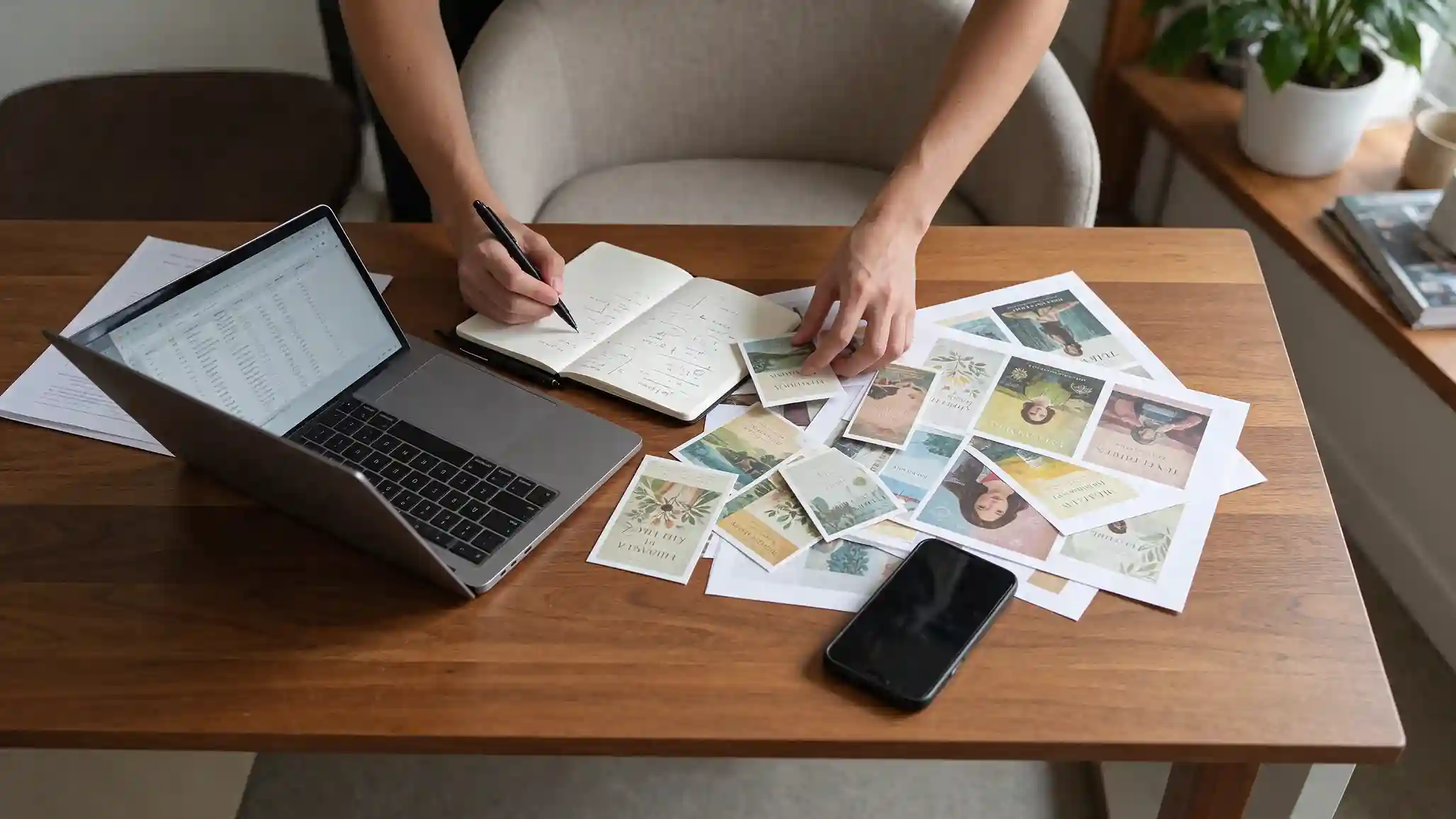
3. Artwork Studio
The Artwork Studio lets you choose styles using previews created with your book cover.
The listed styles include:
- Clean Editorial
- Cosy Lifestyle
- Bold Graphic
- Cinematic
- Bright Illustrated
The brief notes that the sales page mentions six styles in one place but lists five in the style picker.
The page describes one AI image per promotional piece, with downloadable artwork files.

4. AI Copywriter
The copywriting feature prepares hooks, headlines, captions, calls to action and search phrases.
You can edit the generated text, and the sales page says your edits are saved.
This can reduce the amount of promotional writing you need to prepare manually. Still, review every caption before publishing it. AI-generated copy should accurately represent your book.
5. 30-Day Promotion Calendar
BookBloom includes a dated calendar containing promotional pieces and captions.
The sales page shows an example campaign with three pieces per day, which would equal 90 pieces over 30 days. Another section describes a pace of one piece per day.
Do not assume that every buyer will receive the same number of pieces until this is confirmed.
6. Pinterest Account Blueprint
The account blueprint is described as including:
- Pinterest account name ideas
- Profile bio suggestions
- Ten themed collections with keyword sets
- A four-week setup plan
- Profile and banner artwork
This is intended to help authors organise their Pinterest presence around their books.
7. Book Landing Page
BookBloom can prepare a landing page for each book. The described page can include the cover, book description, available store links, a sample or bonus and an option for readers to join your list.
The page has its own address on bookbloom.net and can also be downloaded as files for hosting elsewhere.
8. Tracking and Promotion Finder
The tracking feature reports page views and click-throughs for individual promotional pieces. The page says it does not use cookies or visitor profiles.
It also makes an important distinction: a click is not the same as a sale.
Promotion Finder is described as identifying promotion opportunities a book may qualify for and preparing submission materials based on the book’s information.
9. Other Included Features
The sales page also lists:
- Free Channel Catalogue: A collection of free book-promotion channels and their stated rules.
- KDP Research: Research into genre listings, title ideas and keyword options.
- Website for Your Books: A website structure for multiple books, with one-click publishing to your own site listed as part of the Pro upgrade.
- KDP AI CRACKED: Included training and methods covering book creation and free-traffic approaches.
The front-end offer is described as supporting up to ten books at once.
Pros and Cons of BookBloom
| Pros | Cons |
|---|---|
| One-time front-end price of $27 according to the supplied offer details | You still have to import and publish pins yourself. |
| Prepares promotional angles and captions | Requires your own AI provider key |
| Includes Pinterest artwork and a 30-day calendar | AI provider usage may create additional costs. |
| Includes a book landing page | Landing-page hosting details need confirmation. |
| Offers tracking for views and clicks | Clicks do not guarantee book sales. |
| Includes Promotion Finder and KDP Research | Optional upgrades have additional costs. |
| Supports up to ten books, according to the page | The exact campaign output quantity needs verification. |
The main advantage is that the offer brings several promotional preparation tasks into one workspace.
The main drawback is that it is not a complete publishing automation service. You still need to provide an AI key, review the content and handle Pinterest importing.
Pricing and Hidden Costs
The supplied offer details show a $27 one-time payment for the front-end product, with no subscription and lifetime access advertised.
The page also describes generating a new month of promotion every 30 days from the same book without another front-end payment.
Check the official page to confirm the current price and exactly what lifetime access includes.
What Is Included in the Advertised Value?
The sales page presents the following seller-assigned values:
| Listed item | Seller’s stated value |
|---|---|
| Campaign Studio | $97 |
| Pinterest Account Blueprint | $47 |
| Book Landing Page | $47 |
| Promotion Finder | $37 |
| KDP AI CRACKED | $67 |
| Advertised total | $295 |
These are the seller’s own stated values. They are not independent valuations or proof that the product will generate a particular result.
Your AI Key Is an Additional Consideration
BookBloom uses your own AI provider key to generate copy and artwork.
The sales page says a free Google AI Studio key can cover both. It also lists Claude, OpenAI and Grok as compatible options.
Your AI provider bills you directly for usage. The $27 BookBloom payment does not mean every possible AI usage cost is included.
Optional Upgrades
The sales page describes several optional upgrades:
- Video Studio and one-click website publishing through BookBloom Pro
- Traffic plan for additional free-channel promotion formats
- Amazon Ads campaign builder
- Reader list, signup pages and email sequences
- Agency tools
The supplied offer details do not state the prices of these upgrades.
The page also says carousels and videos are not included in the $27 front-end offer. If those formats matter to you, check the upgrade details before buying.
Time Is Also a Cost
Even if you use a free AI key, you still need time to review your content, edit captions, import the CSV and check your Pinterest schedule.
The FAQ estimates around 20 minutes per month for the Pinterest import process. Your total time may be higher if you need to correct or customise the campaign.
What Is Not Covered?
The policy excludes several situations:
- Asking for a refund on the purchase day before using the campaign
- Buying the tool but never setting it up
- Leaving the campaign empty
- Planning pins but never publishing them
- Requesting a refund after the 30-day period
- Not trying a solution already provided by support
- Making a second refund request for the same purchase
- Raising a chargeback instead of contacting the vendor first
- AI provider charges
Each optional upgrade has its own 30-day period starting from its purchase date.
The practical takeaway is simple: if you buy BookBloom, use it properly within the first 30 days and keep the evidence needed by the policy. Do not assume that simply changing your mind qualifies for a refund.
What the Sales Page Makes Clear vs. What It Doesn’t
These gaps do not automatically make the product a bad purchase. They are simply details you should confirm before paying.
| What the sales page makes clear | What is still unclear |
|---|---|
| The supplied offer price is $27 one-time | What exactly does lifetime access cover |
| The workflow has three steps. | Exact number of pieces in every campaign |
| BookBloom does not post pins for you. | Quality of generated captions and artwork |
| You need your own AI provider key. | Free AI key usage limits |
| The front end supports up to ten books | Whether all features have identical limits across books |
| Optional upgrades are available. | Individual upgrade prices |
| A landing page is included. | Hosting duration and account dependency |
| Tracking reports, views, and clicks | Independent evidence of typical campaign performance |
| The page lists five styles in its picker. | Why does another section refer to six styles? |
| The calendar includes dated promotional pieces. | Exact standard campaign quantity |
Who Is BookBloom Best For and Who Should Skip It?
BookBloom May Suit You If:
- You already have a published KDP book.
- You want help preparing Pinterest promotional material.
- You do not have a large marketing budget.
- You are comfortable reviewing AI-generated copy and artwork.
- You have a Pinterest account and are willing to import the CSV yourself.
- You want a central place for campaign planning and book-promotion tasks.
It may be particularly relevant to low-content and puzzle-book publishers who have visual material they can use in promotional artwork.
You May Want to Skip It If:
- You expect automatic Pinterest posting.
- You do not want to manage an AI provider key.
- You need guaranteed sales or traffic.
- You are looking for a tool that writes and publishes your entire book.
- You do not want to review or edit AI-generated content.
- You need video and carousel features but do not want to consider additional upgrades.
BookBloom is a promotional preparation tool for published books. It should not be confused with a complete publishing service or a guaranteed sales system.
Alternatives / Comparison
BookBloom is not the only way to promote a KDP book. You can also create promotional content manually or use separate tools for design, scheduling and advertising.
| Approach | What it involves | Main consideration |
|---|---|---|
| BookBloom | AI-prepared promotional angles, artwork, captions, calendar and landing page | Requires your AI key and manual Pinterest import |
| Manual Pinterest design | Create pins and captions yourself using a design tool. | More direct creative control, but it takes your time. |
| General AI + scheduler | Use an AI tool for copy and a separate scheduler for publishing. | Requires separate setup and checking of tool costs and features |
| Amazon Ads | Pay to advertise eligible books through Amazon’s advertising platform. | Advertising spend is separate, and results are not guaranteed. |
| Free promotion sites | Submit books to relevant free promotional channels. | Eligibility, submission rules and available exposure vary. |
The sales page names tools such as Tailwind, Later, Buffer, BookBub and ConvertKit as examples of other tool types. Their current prices, features and suitability have not been compared or independently verified here.
If you enjoy creating your own graphics, manual Pinterest design may be enough. If you prefer a prepared campaign structure, BookBloom may be worth considering. If your priority is paid advertising, compare Amazon Ads separately rather than assuming BookBloom replaces them.
Before You Buy: Quick Checklist
Use this checklist before paying for BookBloom:
- Have at least one published book ready to promote.
- Create or have access to a Pinterest account.
- Get an AI provider key and check its free usage limits.
- Understand that you must import and publish the Pinterest pins yourself.
- Set aside time for the monthly import and campaign review.
- Read the complete 30-day refund policy.
- Save your purchase receipt and note the refund deadline.
- Check optional upgrade prices before purchasing any upgrade.
- Confirm what lifetime access and landing-page hosting mean.
- Decide how you will track clicks and evaluate your campaign.
My Verdict: Is BookBloom Worth $27?
My rating for the offer as described is 4/5.
This is not a rating based on hands-on product testing. It reflects the stated features, advertised price, transparency about manual Pinterest publishing and the written refund process.
What Raises the Rating?
1. A clearly described workflow
The sales page explains the basic process: enter your book, approve the campaign and import the Pinterest file. That gives potential buyers a reasonable picture of the intended workflow.
2. A one-time front-end price
The supplied offer details show $27 as a one-time payment rather than a monthly subscription. That may appeal to authors who want to avoid another recurring software bill.
3. No automatic posting on your behalf
BookBloom prepares the content and import file, but you control the Pinterest upload and publishing process. The sales page also says nothing is published without your approval.
4. A written refund process
The refund policy explains the 30-day requirements, the evidence needed and the situations that are excluded. It is conditional, but the process is documented.
What Lowers the Rating?
1. No hands-on testing
I cannot confirm the actual quality of its generated pins, captions or landing pages from personal use.
2. Additional costs are possible.
You need your own AI key, and optional upgrades are sold separately. Their prices should be checked before buying.
3. The refund is conditional.
You must set up and use the first campaign, publish pins and provide evidence within the 30-day period.
4. The proof is limited.
The sales page includes examples and testimonials, but it also describes them as evidence of work done rather than money made. One founder figure shows $625.33 in lifetime royalties across 68 books, according to the page. That is one author’s account, not a typical-results claim.
There is also a wording mismatch: one testimonial describes the tool as creating, scheduling and posting pins, while the FAQ says BookBloom does not post for you. I would rely on the FAQ and refund-policy wording when understanding the actual process.
Final Buying Advice
So, is BookBloom worth it?
It may be worth considering if you already publish KDP books and want help preparing a month of Pinterest promotional content without creating every asset from scratch.
However, don’t buy it expecting automatic posting, guaranteed sales or a complete marketing service with every advanced format included.
Before purchasing, confirm the current $27 offer, check AI usage costs, review the optional upgrades and read the refund policy carefully.
Frequently Asked Questions
Q1. Does BookBloom post to Pinterest for me?
Ans. No. BookBloom prepares pin artwork, captions and a CSV file for Pinterest’s bulk-import format. You must log in to your own Pinterest account and import the file yourself. Pinterest then schedules the pins using the dates included in the import. The sales page estimates around 20 minutes of your time each month.
Q2. Do I need an AI key to use BookBloom?
Ans. Yes. BookBloom uses your own AI provider key to generate promotional copy and artwork. The sales page says a free Google AI Studio key can cover both, while Claude, OpenAI and Grok keys are also supported. Your AI provider bills you directly for usage, so check its current limits and charges.
Q3. Is BookBloom a monthly subscription?
Ans. The supplied offer details describe the $27 front-end as a one-time payment with no subscription. The page also says you can create a new month of promotion every 30 days from the same book without another front-end payment. Check the official page to confirm the current price and lifetime-access terms.
Q4. Does BookBloom guarantee book sales?
Ans. No. BookBloom does not guarantee sales, clicks, reviews or a specific number of readers. Its FAQ says the guarantee concerns whether the system works as described for you, not how many copies you sell. Results can vary according to the book, niche and effort you put into promotion.
Q5. How does the BookBloom refund policy work?
Ans. BookBloom offers a 30-day first-campaign guarantee with conditions. You must set up your first campaign, save your AI key, publish pins to Pinterest and give the campaign a fair run. If it still does not deliver what is promised, contact the vendor before day 30 with the required proof.
Q6. How many books can I use with BookBloom?
Ans. The supplied sales-page information says the front end supports up to ten books at once. Each book can have its own campaign and landing page according to the offer description. Confirm the current account limits and whether every feature is available across all ten books before purchasing.
Q7. Does BookBloom write books for you?
Ans. No. BookBloom is designed to promote books you have already published. It can read supplied book content and prepare promotional material, but it is not described as a book-writing tool. The included KDP AI CRACKED material is described as training about creating books and driving free traffic.
Q8. Are BookBloom upgrades required?
Ans. No. The sales page describes its upgrades as optional purchases. They include additional video and website-publishing features, traffic tools, an Amazon Ads builder, reader-list features and agency tools. The page says carousels and videos are not included in the $27 front end. Check upgrade prices before purchasing.


